TikTok Marketing
Prerequisites for Configuring TikTok Marketing Data Source
- Create a TikTok For Business account: Link
- Create developer application: Link
- For a sandbox environment: Create a Sandbox Ad Account: Link
Configuring TikTok Marketing Data Source
Select the Source Type as TikTok Marketing
Fill in the required details:
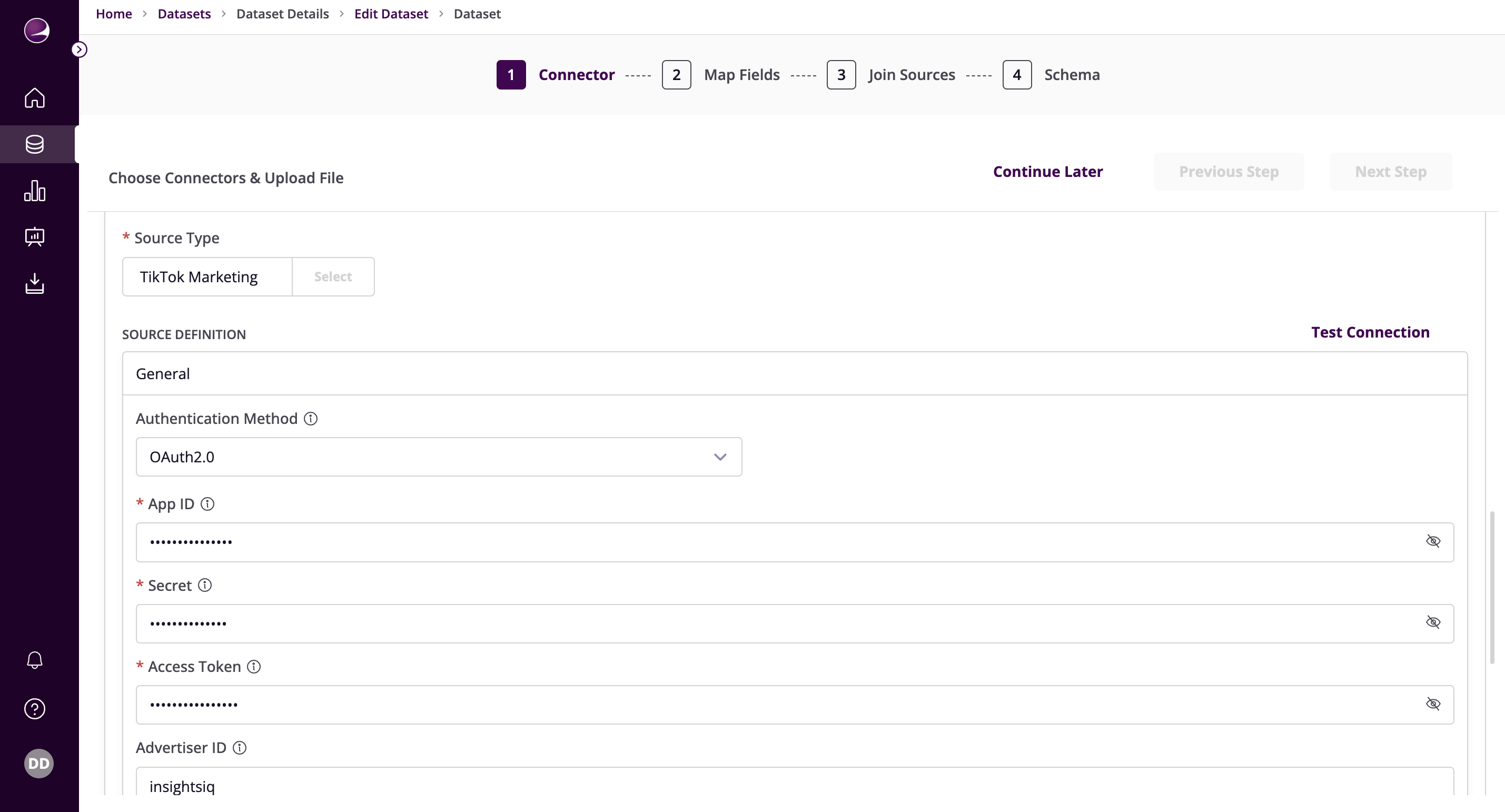
Authentication Methods
OAuth2.0
- App ID: Enter the App ID obtained from the prerequisites
- Secret: Enter the Secret obtained from the prerequisites
- Access Token: Enter the Access Token obtained from the prerequisites
- Advertiser ID: Enter the Advertiser ID obtained from the prerequisites
Sandbox Access Token
- Access Token: Enter the Access Token obtained from the prerequisites
- Advertiser ID: Enter the Advertiser ID obtained from the prerequisites
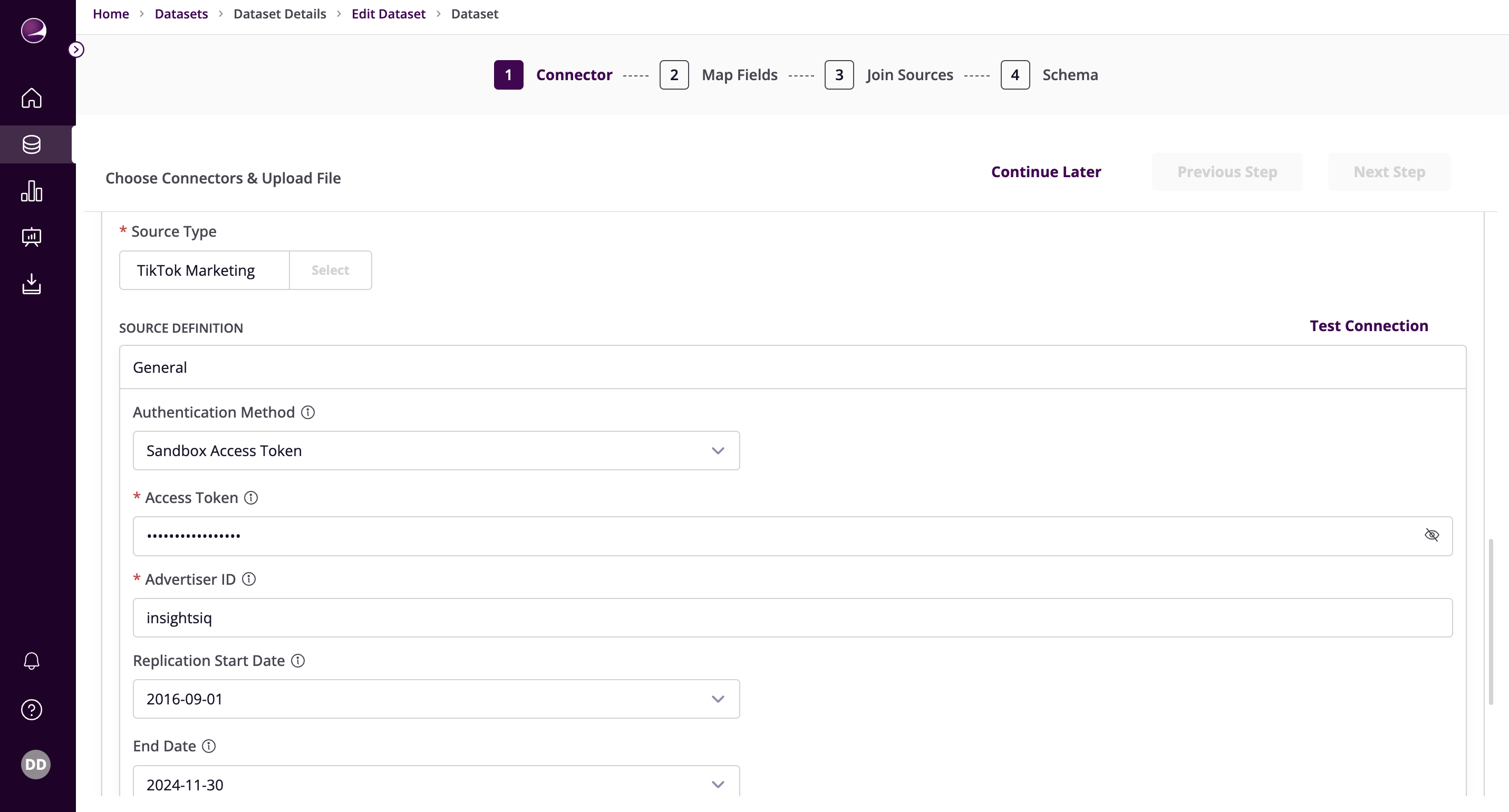
Additional Configuration
- Replication Start Date: The Start Date in format: YYYY-MM-DD. Any data before this date will not be replicated. If this parameter is not set, all data will be replicated.
- End Date: The date until which you'd like to replicate data for all incremental streams, in the format YYYY-MM-DD. All data generated between start_date and this date will be replicated. Not setting this option will result in always syncing the data till the current date.
- Attribution Window: Specify the attribution window in days.
- Click on Test Connection to verify if the connection is established successfully.